In less than a week, I will be heading off to Ohio for the Dublin Literacy Conference and one of my sessions is with parents and kids around creating stopmotion movies. I have handouts, but I really wanted a website resource that I could direct people to if they were truly interested in creating stopmotion movies.
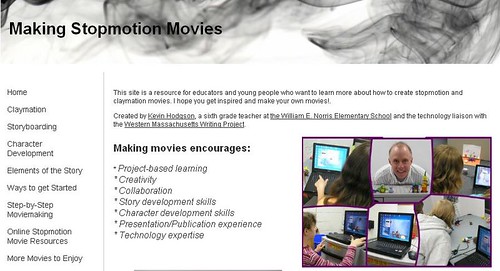
Yesterday morning, I worked for a bit on a site, got feedback from my Twitter friends and others, and I think it is just about ready. My aim was to provide some inspiration for those wondering about how to make movies, access to the free tools that I use with my students and my own sons, and insights into what I have learned from doing claymation and other stopmotion movies with young people.
This morning, I put some finishing touches on the site, adding a few more movies. There is still some tinkering to do, but mostly, I think it is a good resource for people, and something I am proud to have created, particularly for the large numbers of parents and kids who will be attending my session on Saturday in Dublin.
Feel free to pass the site along through your network. If you are inspired, and you get your students making movies, give me a shout because our Longfellow Ten site is always on the lookout for more student work. The LF10 is a stopmotion moviemaking syndicate (sounds devious, doesn’t it?) that features student films.
This is pretty neat — a movie about making a movie, done in claymation animation. It’s by Brad Patullo and the movie, which apparently garnered praise at various film festivals, is called 24 Frames.
Youtube again. This time, it is a six-part documentary about Ray Harryhausen, whose work with stopmotion animation and puppets thrilled me as a kid. You probably know the work if you stumbled into dark cinemas on rainy Saturdays for a buck and caught the matinees (Clash of the Titans, Jason and the Argonauts, the Sinbad the Sailor movies, etc). Obviously, some of the effects and motion seems ancient, but that is only because technology has caught up with Ray Harryhausen’s imagination.
My friend, George Mayo, posted these two movies at his Vimeo site and they just blew me away. I love the use of sticky notes for stopmotion but I also love the documentary view of creating the movie with sticky notes, too.
It’s been a long but productive four days of co-teaching a Claymation/Stopmotion Movie Camp for middle school students. When I think about it, they accomplished quite a bit. All 16 of the students worked on small claymation clips, learned three to four new software programs and then created (mostly through collaboration with others) a longer Claymation or Stopmotion movie.
This year, the group worked better and more creatively than past groups. It all has to do with dynamics, I suppose, but you could really get a sense of the exploration in the air. For the most part, I show them something and then get out of the way. My co-teacher, Tina, and I were tech support and allowed students to bounce ideas off us. But for the most part, they were off and running before we even said “go.”
Yesterday, we showcased the nine movies before a crowd of family and friends. I had each group or each student come up before the crowd and talk about their movie first. They did a great job and the audience was impressed by the work, as was I.
Two movies come to mind.
The first is by two boys who had a great vision, but not quite enough time to get it all done. They used wooden artistic figures more than clay, and their original story involved two little wooden guys discovering a larger wooden guy, who comes to life. As the large guy walks, his footprints would morph into claymation art. They ran out of time, but their work is still pretty cool animation:
The second was a group of three older boys. What I loved about this group was how creative and collaborative they were, and how they realized they could use a bunch of technology in their movie. So, they began with a scene from a Pivot video they made in which two stick figures push a button. Then, they used Bendaroos to create physical versions of their characters, and clay for the others. They also decided to use the digital voice component on Windows for the voice of the villain, shoving the microphone into a set of headphones. Pretty nifty.
We’re about half-way through with the four-day summer camps — one that focuses in claymation/stopmotion movies and the other that centers on comics and graphic novels. Both have been incredibly interesting and the middle school students (mostly boys) are very engaged in the work they are doing.
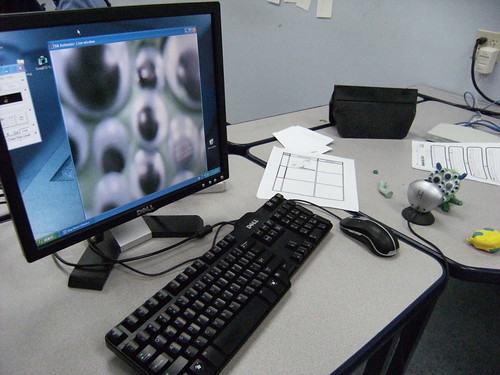
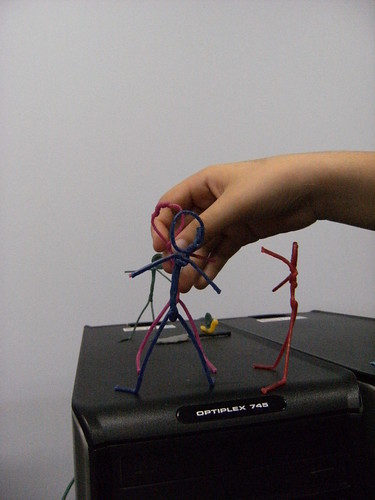
In the movie camp, they have been working on a variety of movies, but are now focused in on creating a longer Claymation Movie around the theme of a “buddy/friend” adventure. There are some pretty fascinating stories developing, including one that begins in the world of Pivot Stickfigure and then transforms into the “real world” with stick figures made out of Bendaroos (bendable sticks).
Here are some pictures of some of the scenes coming to life:
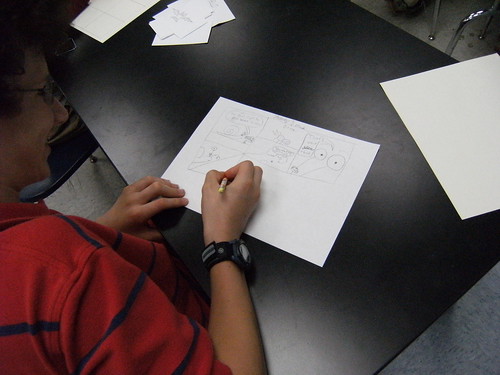
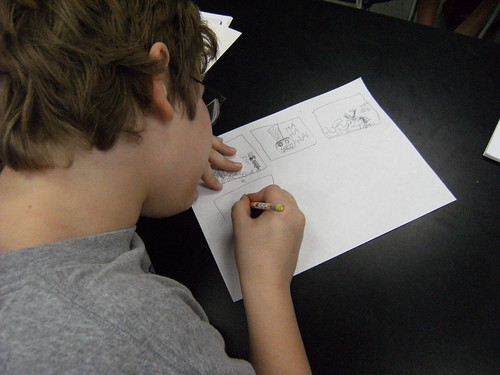
In the comic camp, we are doing a mix of paper work and using technology tools. We worked with ComicLife yesterday and then continued to use our ToonDoo site for webcomics. ToonDoo is a huge hit with many of them, and one student is even working on a 100-part series (yes, 100 pages) that is a spy mystery of sorts. I showed him how to create an ebook in our ToonDoo space, so that the reader can follow the story in sequence. Very cool.
Here are a few pictures from yesterday as they worked on a paper comic:
My oldest son had grand ambitions this week to make a movie that combines live action with stop-motion animation. The concept involves a monster that has eaten our cat and then our youngest son and requires the help of a group of characters he has invented — the Pea Detectives. Somehow, he talked me into having a main role in it (OK, so I was happy to do it) and he is using one of my Flip video cameras to shoot the live footage and then using stopmotion software to shoot the Peas in action. Later, he will use Moviemaker to edit it all together.
He really wanted to know how you layer in animation on top of live action and I said, “With millions of dollars worth of equipment that we don’t have.” But if you know a way to do it on the cheap, let me know, please. So, his work-around (love work-arounds) was to take some photos of me and then print them, cut them out and use them in the stopmotion sequence. He’s also been composing some soundtrack music with SuperDuperMusicLooper and even wrote a song with lyrics (to the melody of We Three Kings of Orient Are) about the group of bumbling Pea detectives.
It’s fascinating to watch his mind working on it all and how excited he is about the project. I told him about a local Youth Film Festival that he should consider entering a film in this year. He seemed intrigued by that.
Here, then, is a glimpse of a stopmotion sequence in which I meet the Peas, with his Looper music. In the movie, this is where his original song will go, but it was more entertaining to have it as a sort of nusic video for now.
Thanks to Matt, I found a great resource for Stop-Motion movie creation. Included in the site was a link to this video, which shows how you can use MovieMaker (part of the Windows operating system) to create stop-motion movies (with just a digital camera).
Why am I sharing this? Well, George Mayo and I have been developing the Longfellow 10 site for stop-motion movies for students and we really would love to have some other schools involved. Are you interested? Do you need a mentor? George and I can help (drop me an email at dogtrax(at)gmail(dot)com if you want). There are great learning opportunities for your students when they plan, film, edit and produce their own movies.
This short video walks you through the steps for a basic movie process:
This is my final reflection on the movie project that I did with my students recently, using stop-motion moviemaking to demonstrate a literary idea. Part one dealt with student reactions to the endeavor; Part two was how I implemented the project; and Part three was how I published the videos.
This is about how I am going about grading these 31 movies. I think it should be stated outfront that assessing digital projects can be difficult, as technical difficulties can sometimes get in the way of executing even the most perfect idea. So, I do try to keep an open mind, even though I lay out parameters of expectations to my students from the very start. I remind them that this is all fun and exciting, but it is also a learning experience and they need to show what they have learned.
Before we even began, I went over my expectations with them:
Their movie would demonstrate a literary term that I would provide them (worth 50 points);
They would storyboard their idea out and conference me about their concept (20 points);
Their title would center on the literary term and a written definition of the term (or a very clear narration) would be required (20 points);
Effort and imagination and patience would be rewarded (10 points).
This weekend, as I looked the movies over more critically than I have before, I realize that some groups just got caught up in the movie aspect, and gave only a head-nod to the actual assignment. Others found a story with a focus and told it through a movie as best as they could. Still others … well, they just created odd movies.
I know almost every student loved this project and now understands something more intangible: how to manage a complicated project with many layers of composition, work with others in a cooperative venture, and publish a movie to the world. I didn’t grade these aspects, but they are as important as the area that I give points for, in my opinion. In the ideal world, the grade would not be required.
So, the average grade hovers around a solid “B” range for the classes, but the memories of making a movie will last long after the report cards go out and get lost in the dust bin of history.
This is the third of a four part series of posts on how my class went about planning, writing and producing short stop-motion movies on the theme of literary terms (see part one and part two). My idea here is to allow me some space to reflect and hopefully, nudge a few of you into moviemaking.
In my last post, I talked about the actual making of the movies. And now that they are done, what do you do with them? Well, many of my students now have their own flash drives (and our class has a few that we loan out), so getting copies of their productions is easy enough. It used to be a lot more difficult — burning DVDs, etc. Flash drives are wonderful.
Our movies are being made for a wider audience, however (including a few that will become part of The Longfellow Ten project). SO, we wanted to publish the movies to the web for a potential world-wide audience. This is a tricky decision — where to host the videos and where to publish them. I have tried all sorts of services over the years and to be honest, I find most of them lacking in one way or another. My own goals are for a site that hosts videos, with no links back to the site, no advertising and ease of use. Does that seem like too much to ask for? In this vein, I have worked with YouTube (no need to say a thing), Google Video (better but not great, and I don’t expect it to last as a separate entity from YouTube), Edublogs TV (it has potential but slow to upload, in my opinion), TeacherTube (unless it has been fixed, it had become incompatible with Edublogs), Blip (it’s fine), Flickr (you can upload and share short videos under the plus account) and more.
Luckily, my friend, George (of the Longfellow Ten), had been on the same path and he found Vimeo. It turns out that more than a year ago, I had checked it out too and forgotten all about it. Vimeo is like a typical service except you can really adapt the embedding option. This allows you to remove any and all links back to Vimeo itself. All the students will see is the video and the play/volume buttons. This is exactly what teachers need, I think.
Both George and I upgraded our accounts because we both know that we will be using it for larger video projects down the road, but the free version seems fine. It’s also nice because you can save a preset for embedding — you don’t have to revamp the embed code each time.
So, I now had a reliable and useful host for my videos. But I don’t want to direct my students to Vimeo to view the movies. I want to create our own space for publishing the video collection. (George is using WordPress.com for the Longfellow Ten project, which is nice because Vimeo is incredibly easy to embed in WordPress blogs). I thought about using our classroom blog — The Electronic Pencil — but with 31 videos, that seemed like too much (particularly when Edublogs suggests you don’t publish more than one video per post). I thought about whipping up a quick webpage with html/dreamweaver. But then, I would have to host the page.
Finally, it dawned on me that a wiki might be the best option. Easy to use, a wiki also allows for multiple media files per page. So, I went to my wiki companion site for The Electronic Pencil (over at Wikispaces), and started to embed the movies. It worked like a charm, and it also allowed me to show my students a wiki, which we will be using later this year for our Crazy Dictionary Project (now four years running).
Last, I made a link to the various movies from our class blog site, had my kids view them one class period (so they could see what their classmates have been up to), and then I had them reflect about the movie project at our blog, thinking about what they liked about making the movies, what they didn’t like and what they would do differently if we started over again (maybe later this year).
In my last post (part 4), I am going to talk about how I am grading and assessing the movies.
 This is pretty neat — a movie about making a movie, done in claymation animation. It’s by Brad Patullo and the movie, which apparently garnered praise at various film festivals, is called 24 Frames.